
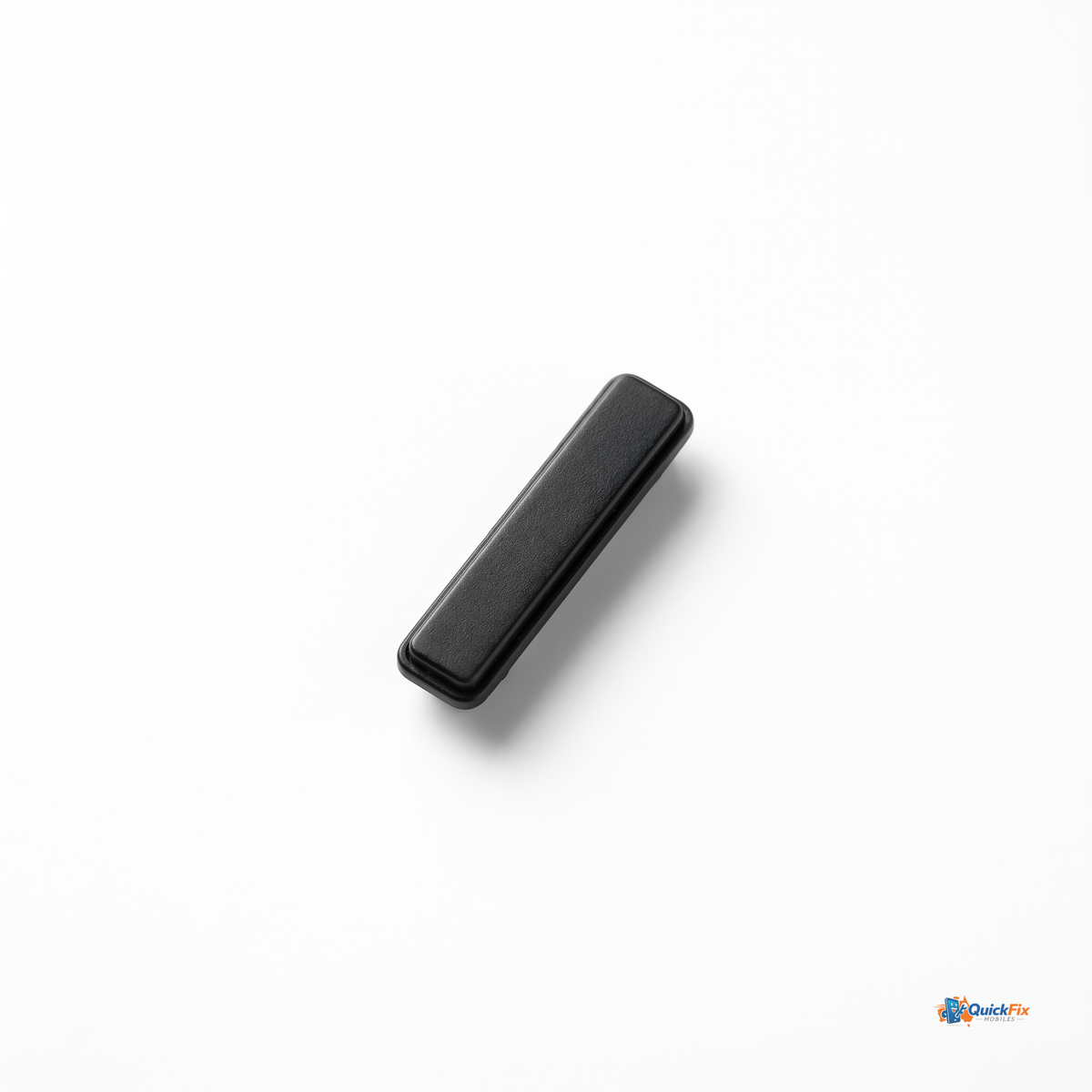
Samsung Galaxy S25 FE Power Button Flex Cable Replacement

$14.95

Skip to product information

Regular price $14.95
Sale price $14.95 Regular price
Tax included. Shipping calculated at checkout.

Want next day delivery? Be quick!

I18n Error: Missing interpolation value "end_date" for "Ends on {{ end_date }}"
Awaiting stock, shipping soon

Restore reliable power control on your Samsung Galaxy S25 FE with the Power Button Flex Cable Replacement. This precisely engineered part is built to mimic the original flex cable’s fit and function, letting you repair an unresponsive or intermittently pressy power button without replacing the entire chassis or motherboard. Designed for both DIY enthusiasts and professional repair shops, it delivers a clean, dependable press and long-lasting durability you can trust day after day.

  • Exact-fit for Samsung Galaxy S25 FE — engineered to match the original flex cable’s dimensions, connector pitch, and mounting points for a seamless reassembly.
  • Integrated power button switch — ensures crisp, tactile feedback with every press, restoring the familiar user experience.
  • Durable, high-flex materials — premium polyimide flex substrate with reinforced strain relief to resist bending and stress near connectors.
  • Gold-plated connectors — corrosion-resistant contacts that maintain reliable electrical connections after repeated use.
  • Plug-and-play readiness — designed for straightforward installation with standard repair tools; no soldering required for the cable itself (specialized steps may apply if accompanying components are replaced).
  • Quality-tested — each cable is checked for electrical continuity and fit to minimize install time and return risk.

What's included: 1x Power Button Flex Cable Assembly for Samsung Galaxy S25 FE; 1x protective sleeve; 1x pre-cut adhesive strip; 1x installation guide.

Compatibility: Samsung Galaxy S25 FE only. Not compatible with other Galaxy models. Please verify your device model before purchasing.

  1. Power off the phone and disconnect from any power source.
  2. Open the device and locate the power button flex cable connector on the motherboard area.
  3. Carefully disconnect the old cable and remove it without stressing nearby flexes.
  4. Align the new Power Button Flex Cable Replacement, ensuring correct orientation and seating of all connectors.
  5. Reconnect the connectors, reassemble the device, and power on to test the button response before finalizing.

Choosing the Samsung Galaxy S25 FE Power Button Flex Cable Replacement minimizes downtime and cost compared to full housing or motherboard replacement. It preserves the device’s design while delivering a like-new power-on experience. This part is ideal for refurbished phone workflows, repair shops aiming to streamline turnaround times, or DIY owners restoring a phone that’s otherwise in good condition but with a tired or non-responsive power button.

Tips for best results: work in a static-free environment, use a plastic spudger to avoid connector damage, and handle connectors by their edges. After installation, run a quick power-on test and verify the button travel feels consistent across multiple presses before sealing the device.

Battery life
Camera quality

Durability
Display quality

Specifications

Example label

Value

Example label

Value

Example label

Value

Example label

Value

Materials

Add tab content here to outline the materials used in your product, highlighting their origins, properties, and benefits. For example, if you’re describing a smartphone, mention the type of glass used (e.g. Gorilla Glass for durability), the metal or composite used in the frame, and whether any recycled or sustainable materials are incorporated. Highlight key qualities like scratch resistance, heat dissipation, or lightweight construction. You can also explain manufacturing techniques such as precision machining or anodizing, and mention premium touches like ceramic backs, aluminum unibody frames, or sapphire-coated lenses to reassure customers of the product’s build quality.

Dimensions

Include tab content here to detail the dimensions of your product, specifying its height, width, depth, and weight. For example, if you're describing a laptop or monitor, include screen size, thickness, and weight. For smaller devices like smartphones or smartwatches, list exact measurements and note how they affect portability or comfort during use. Mention any adjustable or modular elements—like rotating stands, extendable mounts, or removable bands—that offer added flexibility or customization. This helps customers understand how the product fits into their setup or lifestyle.

Care Instructions

Incorporate tab content here to provide detailed care instructions for your product, specifying how to properly maintain and extend its lifespan. For example, if you're describing a smartphone, tablet, or smartwatch, include tips like regularly wiping the screen with a microfiber cloth, avoiding exposure to extreme temperatures, and using protective cases or screen covers. Specify if the device is water-resistant or dustproof, and clarify what levels of exposure it can handle. Mention safe cleaning products to use (e.g. isopropyl alcohol wipes) and any substances to avoid (like ammonia-based cleaners). For products with batteries, include guidance on charging habits that preserve battery health over time.


Samsung Galaxy S25 FE Power Button Flex Cable Replacement

$14.95

Highlight feature

More about this stand-out feature.

  • Over

    26

    hours battery life

  • With

    95%

    positive reviews

  • Expand

    64GB

    upgradable storage

Add a tagline

Highlight feature 2

Emphasize specific features of the product. For example, describe the premium materials used in the product's construction. Highlight its ability to withstand wear and tear or challenging conditions.

Emphasize the attention to detail and engineering that sets the product apart in terms of quality.

Add a tagline

Highlight feature 3

Explain how the product adapts to different use cases or environments. Show how the product seamlessly integrates into various aspects of the user’s life (work, leisure, etc.).

Highlight specific versatile features that make it useful in a wide range of scenarios.

What's in the box?

  • Item 1

  • Item 2

  • Item 3

  • Item 4

Highlight 1

The device is designed to withstand everyday use, with each material selected for its resilience and aesthetic contribution.

Highlight 2

Boasting a form factor that is both compact and sleek, this device is engineered to fit comfortably in the palm of your hand.

Highlight 3

We offer a hassle-free returns policy to ensure your complete satisfaction. If you're not happy, simply return it within 30 days for a full refund.

Does it come with a warranty?

Add your collapsible row content here. If it's set to open one row at a time, consider keeping the content in each row about the same length.

What happens if I don't like it?

Add your collapsible row content here. If it's set to open one row at a time, consider keeping the content in each row about the same length.

How fast is shipping?

Add your collapsible row content here. If it's set to open one row at a time, consider keeping the content in each row about the same length.

What's the returns policy?

Add your collapsible row content here. If it's set to open one row at a time, consider keeping the content in each row about the same length.

Testimonials

  • Testimonial

    Include a review of the product or collection left by a customer. Or perhaps it's a review of your store as whole.


    Jane Doe
    Director, Company name
  • Testimonial

    Include a review of the product or collection left by a customer. Or perhaps it's a review of your store as whole.


    Jane Doe
    Director, Company name
  • Testimonial

    Include a review of the product or collection left by a customer. Or perhaps it's a review of your store as whole.


    Jane Doe
    Director, Company name
1 of 3

Questions about this product?
Don't be a stranger.

Exclusive discounts, just for you. Sign up now.